
How to link PWG account
Here is how to link your PWG account with your game in Neverness to Everness
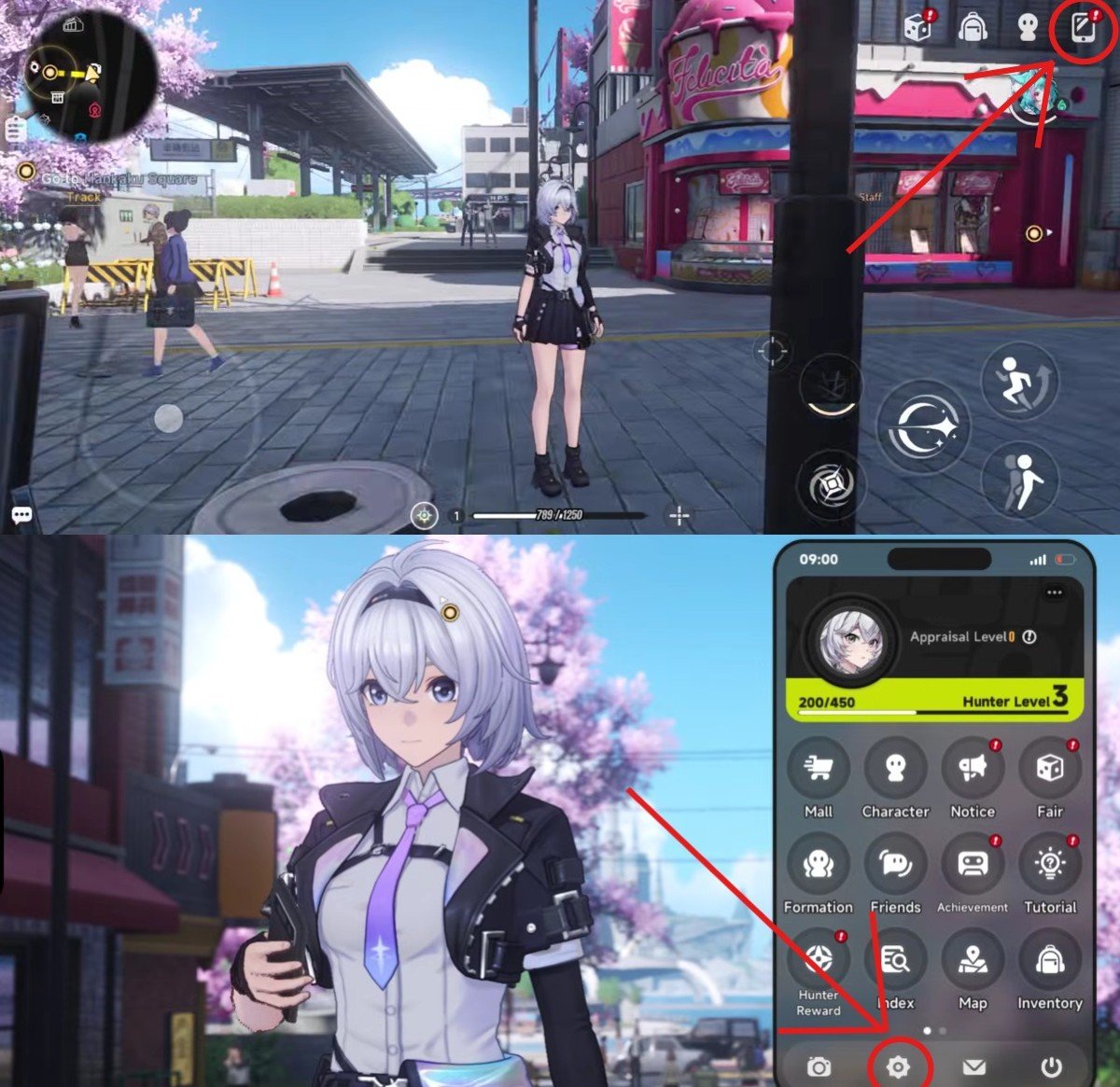
Step 1: Enter the game, open the Phone Menu, then go to the Settings as shown in the image below
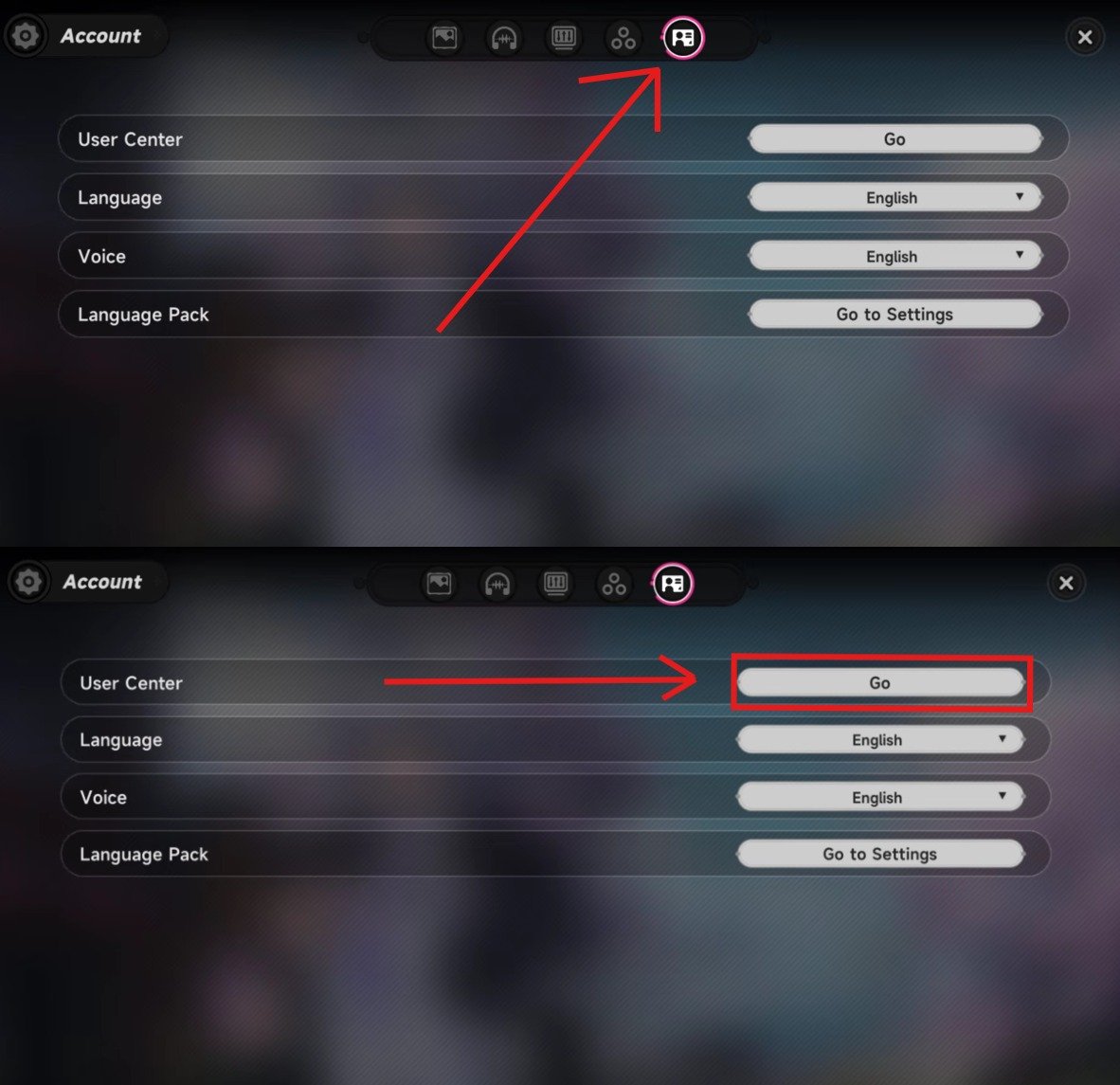
Step 2: Now, click on Account → User Center as shown in the image below
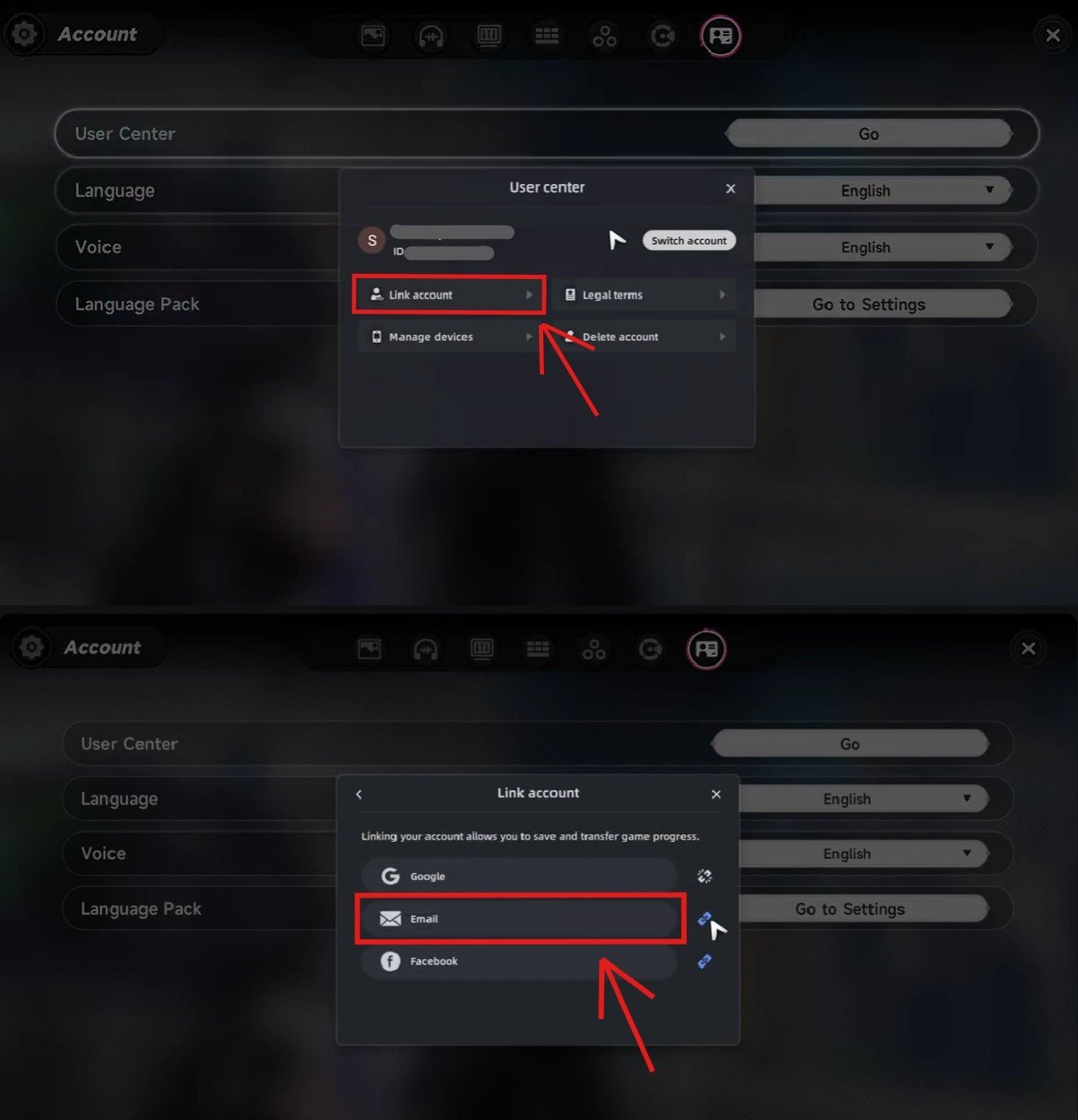
Step 3: Now, click on the Link account as shown in the image below and link your email. That will be your PWG login.
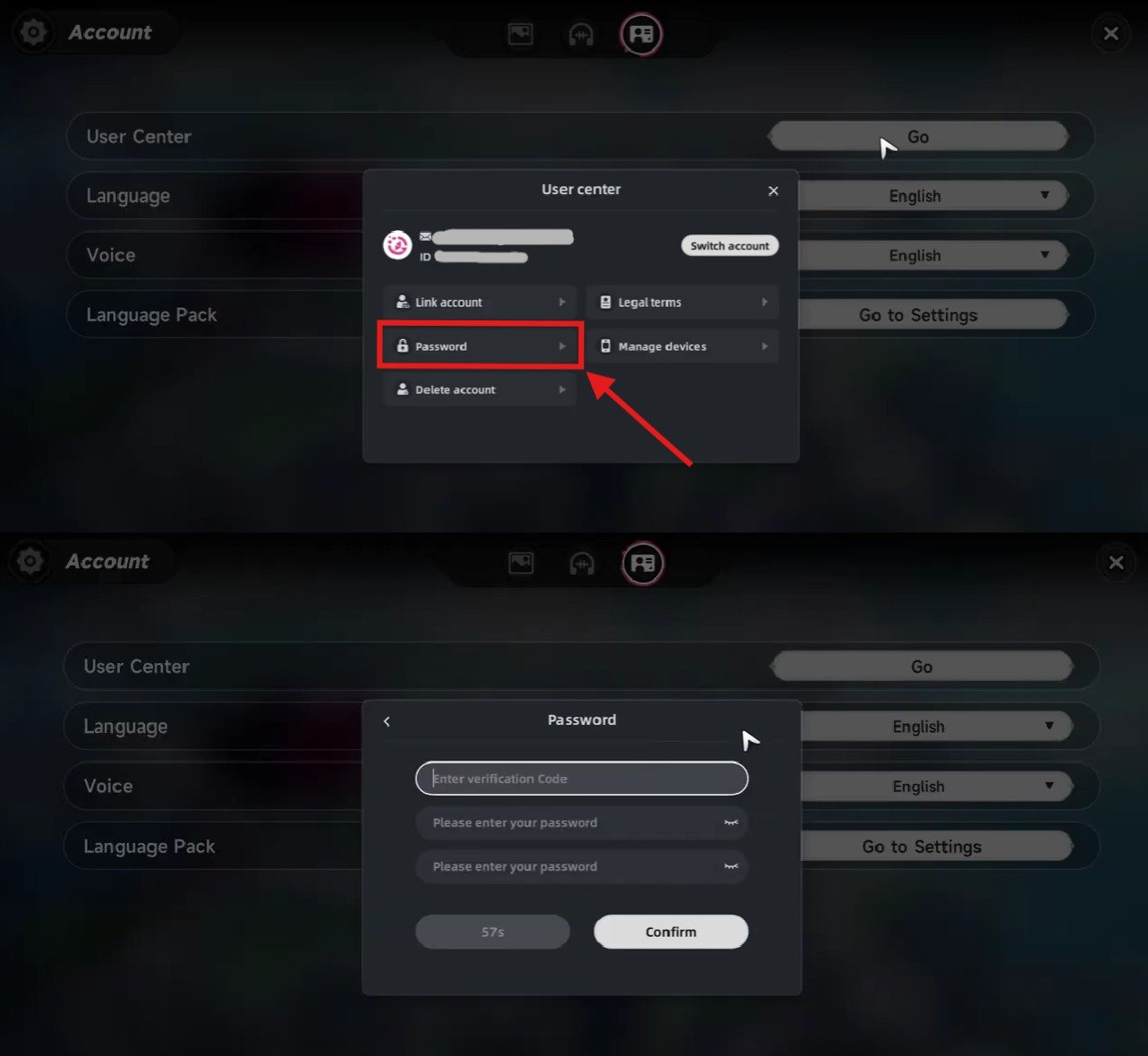
Step 4: To set the PWG login password. logout the game and login back into the game with the linked PWG email login.
Step 5: Now go to Settings → User Center → Password. Set your desired password as shown in the image below and link your password.
Step 6: After perfectly linking your account, you have to share that linked email and password with us for the Logins products. This process is known for very fast delivery compared to other login methods.
Tip: *Except for us, never share your email and password with anyone, also never share your ambsells account logins with anyone. On us, your data is encrypted. Still, for your mental satisfaction, you can change your account password anytime. And after your order is delivered, you can change your password again. By doing this, you will also be safe mentally, knowing that you changed your password. And as always, you are safe with us.
If you need further help with linking your account, you can contact us on our live chat or any of our chat platforms.
Regards,
ambsells ❤️